
Setting Up a Linux Playground on Azure: A Step-by-Step VM Guide for Beginners.
If you want to learn Linux, it is worth starting with a cloud instance. A cloud server gives you a real environment where you can practice commands, manage files, and work through mistakes without changing anything on your main computer. You avoid the trouble of installing VirtualBox or setting up a dual boot. You only need a stable internet connection to log in through SSH and begin working.
For IT students who hope to enter DevOps or cloud engineering, learning on real servers is important. You will work with platforms like AWS, Azure, and Google Cloud in the future, so getting used to their environments early is helpful.
You can still install VirtualBox and learn Linux locally, but it requires enough RAM to run smoothly. A cloud instance removes that limit and gives you a clean, reliable space to learn.
Why Azure is a good option for beginners.
Azure offers a steady learning experience for anyone starting with Linux. The portal is simple to navigate, and most settings come with helpful defaults. This means you can create a working Linux server without dealing with complex configurations. Azure also provides detailed monitoring, so you can see how your server uses CPU, memory, and storage. This gives beginners a better understanding of how systems behave under different workloads.
Another advantage is the support for many Linux distributions. You can choose Ubuntu, Debian, CentOS, or others, and switch between them whenever you want to try something new. Azure keeps these images updated, which makes the setup reliable and secure. The platform also includes free credits for new users, allowing students and beginners to practice without a financial burden.
Most important is the real-world experience you gain. Modern DevOps and cloud teams work with virtual machines every day. Learning on Azure gives you a feel for resource groups, networks, firewalls, and server management in a professional environment. This makes your transition from student practice to industry work much smoother.
Creating a Free Account and Understanding Credits.
Before you start practicing Linux on Azure, you need to create a free account. Microsoft gives new users $200 in credits for the first 30 days, which is more than enough to spin up a few virtual machines and experiment freely. Even after the $200 runs out, there are always-free services, like small Linux VMs and storage, so you can keep learning without paying a thing.
Signing up is simple, you just need a Microsoft account and a payment method for verification. Don’t worry, Microsoft won’t charge you automatically when your credits run out like AWS. The dashboard clearly shows your remaining credits, usage, and estimated costs, making it easy to track how much you’ve used.
How to Create a Virtual Machine.
After your Azure account ready you can see a Azure Home page.
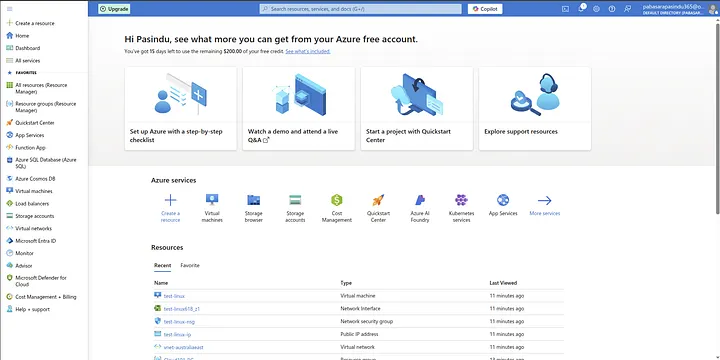
Just Search virtual machines on the Search bar and click it. Now you are in the Azure vritual machines section.
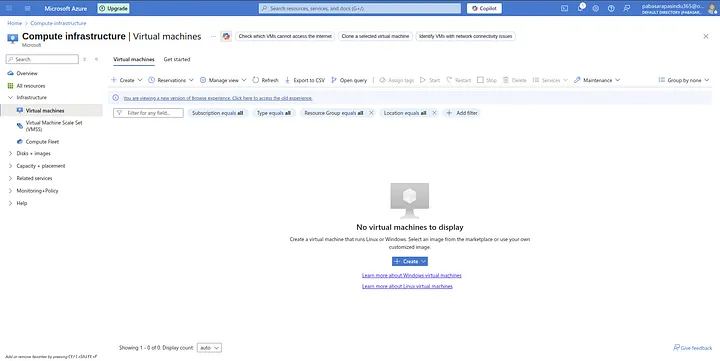
Next, click “Create” and choose “Virtual Machine”. You will be asked to fill in some details:
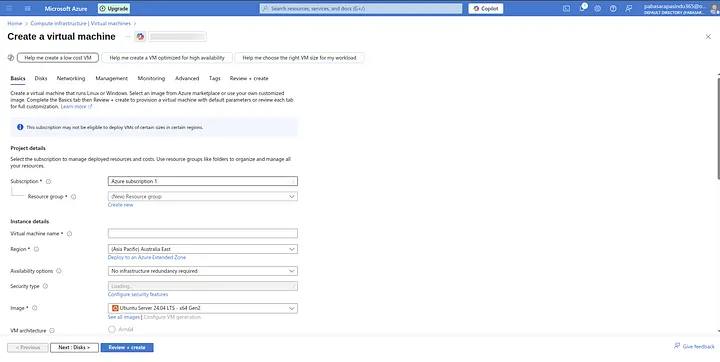
• Subscription and Resource Group: If you don’t have a resource group yet, create a new one. This keeps all related resources organized.
• Virtual Machine Name: Give your VM a name you can recognize, like linux-playground.
• Region: Choose a location near you for better performance.
• Image: Pick a Linux distribution. For beginners, Ubuntu LTS is a great choice.
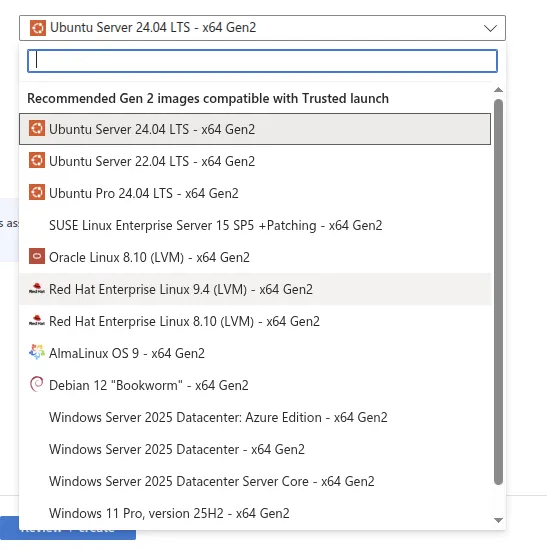
• Size: Start with a small instance - it’s enough for practicing commands and installing software without using too many credits.
• Authentication: Set a strong password or SSH key to log in safely.
• Networking: Make sure SSH (port 22) is allowed so you can connect from your computer.
Finally, review your choices and click “Create”. In a few moments, your Linux virtual machine will be ready, and you can start logging in to practice Linux commands and explore your new server.
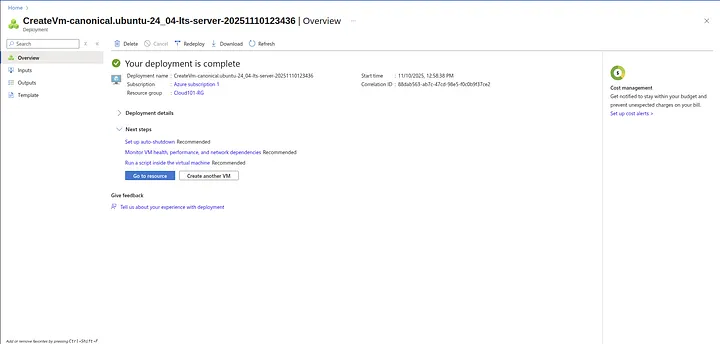
Connecting to Your Linux VM via SSH
Once your virtual machine is created, you can connect to it using SSH, which lets you access the server from your own computer.
- Go to your VM in the Azure portal and copy the public IP address.
- You don’t need to worry about which operating system you use. Termius and MobaXterm work on Windows, Linux, and macOS. Open one of these apps, create a new connection, enter your VM’s public IP, username, and password (or SSH key), and you’re ready to connect.
Using Termius to Connect to Your Linux VM
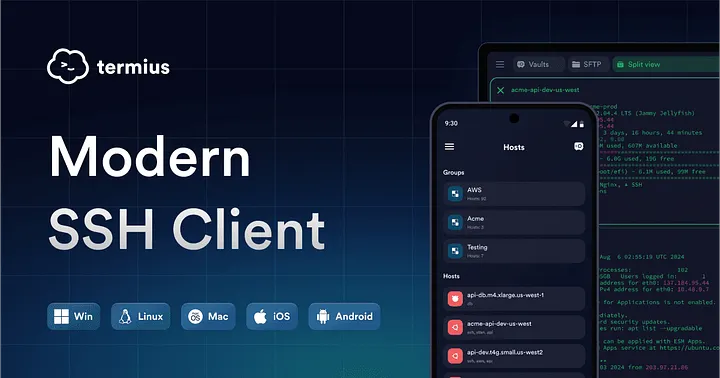
When learning Linux on Azure, Termius is one of the easiest ways to connect to your virtual machine. It works on Linux,Winodws and macOS, so you don’t need to worry about your operating system. Termius also makes managing multiple servers simple with a clean interface and saved connections.
For Students, Termius Pro is included in the GitHub Developer Pack, giving access to extra features like snippets, SFTP, and advanced host management, which can make learning and managing servers even smoother.
Steps to Connect with Termius
Install Termius — Download and install it from Termius.com. It’s free for basic use, which is enough for learning Linux.
Create a New Host — Open Termius, click New Host, and enter:
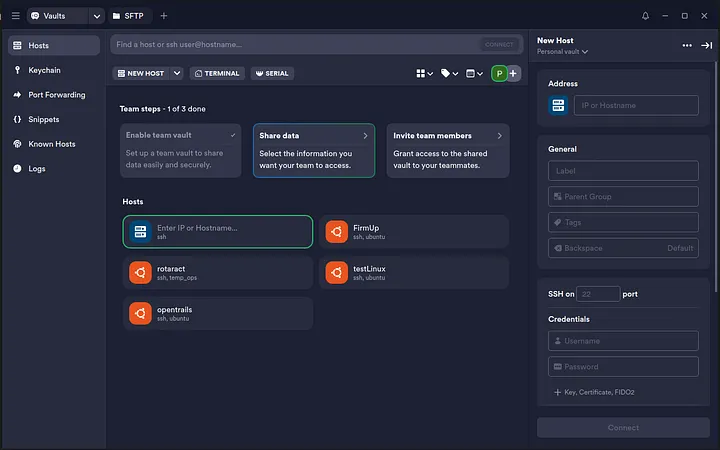
Label: Any name for your VM (like Linux Playground)
- Hostname / IP: Your VM’s public IP address from Azure
- Username: The Linux username you created when setting up the VM
- Authentication: Either a password or SSH key
Connect — Save the host and click Connect. The first time, Termius will ask you to accept the server fingerprint.
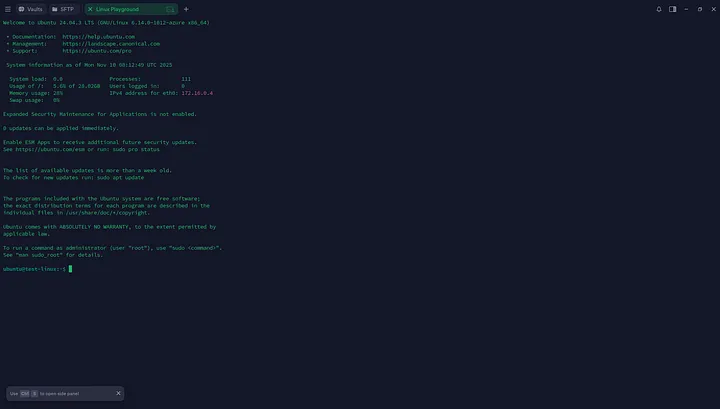
Start Exploring — Once connected, you can run Linux commands, install software, and practice safely. Termius also lets you organize multiple servers, create snippets for common commands, and even use SFTP to transfer files.
Why Termius is Great for Beginners
- Cross-platform support (Windows, macOS, Linux)
- Easy to manage multiple servers
- Saves credentials securely
- Supports SSH keys and passwords
- Built-in SFTP for file transfers
Using Termius, you can focus entirely on learning Linux without worrying about OS compatibility or complex SSH setup. It’s a beginner-friendly gateway to real-world Linux servers on Azure.
This article was also published on my medium profile - https://medium.com/@pabasarapasindu365/setting-up-a-linux-playground-on-azure-a-step-by-step-vm-guide-for-beginners-e3d541ac2e9a.